
Imagine opening a laptop at a kitchen table, joining a video call, and then packing it into a bag for the afternoon. The processor is only one part of that experience. For most people choosing a general-purpose laptop, the keyboard, screen, ports, and portability shape the workday just as directly as performance does.
Match performance to the workload
Start by naming the heaviest task you expect to do regularly. Web browsing, documents, and video calls have different needs from editing large photo files, compiling software, or working with high-resolution video. Buying around the work you actually do can avoid both an underpowered machine that slows down your workflow and an expensive configuration whose extra capacity sits unused.
Memory and storage deserve a closer look than a single processor label. Many browser tabs, creative applications, and large projects can make limited memory feel restrictive, while a small drive fills quickly with local files and media. Check whether memory can be upgraded later; on some thin laptops it is fixed, which makes the original configuration a longer-term decision.
Notice the daily contact points
A keyboard is personal, but a few details are easy to assess: key travel, layout, arrow-key size, and whether the keyboard flexes under ordinary typing. For the display, look beyond resolution to reflections, brightness, scaling, and how text appears at the size you will use. A sharp screen that forces awkward scaling or catches window glare may not be pleasant for a full workday.
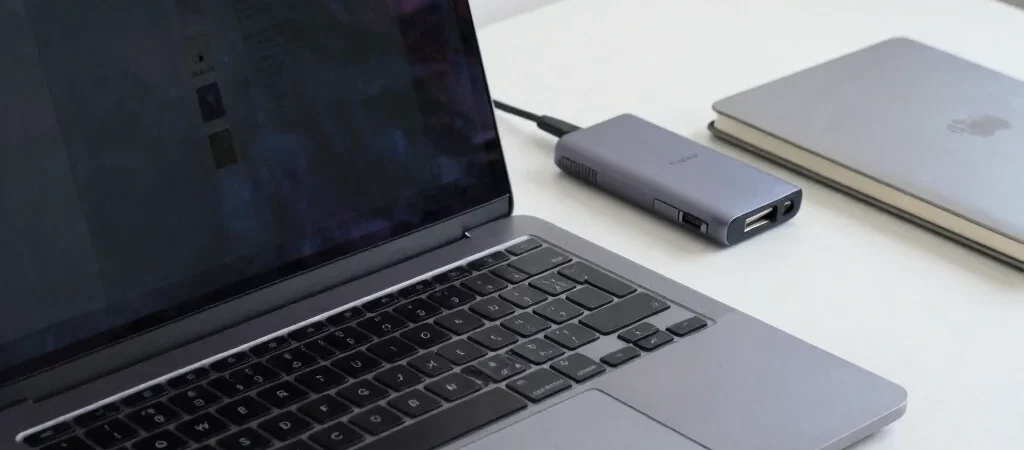
Ports can determine whether a laptop works neatly at a desk. If you regularly connect an external monitor, camera card, or wired accessories, count the ports you need and check whether they require a hub. A compact machine may be easier to carry, but an adapter becomes part of the setup—and something else to remember when leaving home.
Weigh portability against convenience
Compare weight alongside charger size, battery claims, and the screen size you can comfortably work on. A lighter laptop can be welcome on a commute, while a larger display may reduce squinting and window juggling at a fixed desk. If possible, try typing on a display model and check the hinge, trackpad, and lid before deciding.
Build your shortlist around the work you do, then compare the everyday contact points before chasing benchmark differences. If Smart Reviews links to products in this article, those affiliate links may earn a commission; our guidance is intended to make the relevant features and trade-offs clear.

